Your first web project needs a code editor and a browser. By your tenth project, you’ll also want version control, a build tool, tests, and a way to ship.
This guide walks through the essential tools for each stage of frontend work. You’ll learn what every tool does and when your projects need one.
How to Choose the Right Web Development Tools
Web development tools play a crucial role in helping developers build faster, more efficient, and scalable websites. From code editors and frontend frameworks to UI component libraries, testing solutions, and deployment platforms, choosing the right tools can significantly improve your development workflow. In this guide, we’ll explore the essential tools every modern web developer should know.
Code Editors and IDEs
Your editor is where you’ll write, read, and fix code all day, so pick one you enjoy opening. A good editor highlights syntax, suggests completions as you type, and jumps to a function’s definition in another file. Most editors also include a terminal and a debugger, so you can run a script or pause code on a breakpoint without leaving the window.
Visual Studio Code is free and runs on macOS, Windows, and Linux. Extensions add linting, automatic formatting, Git history, and Tailwind CSS class suggestions.
WebStorm by JetBrains is a full IDE. Refactoring tools, a test runner, and framework support come built in, with no extensions to install.
Pro tip: Start with VS Code if you’re new to frontend work. Try WebStorm when you work in a large TypeScript codebase and want deeper code analysis with less setup.
Operating System and Dev Environment
Frontend tools work on macOS, Windows, and Linux, so pick the system your team supports and you’re comfortable with. On Windows, set up the Windows Subsystem for Linux (WSL).
WSL gives you a Linux shell inside Windows, so you can follow Linux-based docs and run the same commands as your servers.
Treat OS upgrades like dependency upgrades, and schedule them between projects. A major release can change system libraries or drop support for older binaries. Apple’s documentation says Rosetta, the translation layer for Intel apps on Apple silicon, stays available as a general-purpose tool through macOS 27. If your toolchain still includes Intel-only binaries, check them now. Before you upgrade a work Mac, you should read a detailed macOS 27 review and wait for a point update if a deadline is close.
Languages and Runtimes
HTML, CSS, and JavaScript are the core of every web interface:
- HTML defines the structure of a page
- CSS controls layout and appearance
- JavaScript handles interaction, from opening a dropdown to fetching data from an API.
Learn semantic HTML and modern CSS layout with Flexbox and Grid before you pick a framework.
TypeScript adds static types to JavaScript. You declare the shape of a function’s input and output, and your editor flags mistakes before you run the code. If a function expects a number, TypeScript flags an error when you pass it a string. This helps catch type mismatches before you run the code. Use TypeScript on any project with several contributors or a long lifespan.
Node.js runs JavaScript outside the browser. Many frontend projects use Node.js to run development tools and package managers such as npm. Install the latest Active LTS release of Node.js (currently Node.js 26), unless your project requires a different version.
Version Control and Collaboration
Git lets you save snapshots of your code as commits. You choose which changes to include in each commit, creating a record of how your project develops over time. If a new feature breaks the checkout page, you can compare commits, find the change behind the bug, and roll back. Branches let you build a feature in isolation and merge it into the main branch once it’s ready.
GitHub hosts your Git repositories online and adds teamwork tools. Teammates open pull requests, review each other’s code line by line, and discuss changes before anyone merges them.
Learn clone, branch, commit, pull, push, and merge first, since you’ll run those commands every day. Commit small changes with clear messages. Six months later, you’ll read the commit log and see why a component changed.
Frontend Frameworks and Build Tools
Once an interface has dozens of interactive parts, plain JavaScript gets hard to manage. A frontend library or framework helps you build an interface from reusable components and update the page when your data changes.
React builds interfaces from components written in JSX, a syntax mixing HTML-like markup with JavaScript. Vue keeps a component’s template, logic, and styles in one file, so newcomers pick up the structure fast. Angular is a complete framework with routing, forms, and dependency injection built in, and suits large teams who want strict conventions. Choose based on what your team knows and what the project needs.
Vite handles everything around your code. Run npm create vite@latest, pick a React, Vue, or vanilla template, and you have a project with a dev server. As you save a file, Vite updates the page in the browser without a full reload. For production, Vite bundles and minifies your code and npm packages into static files ready to deploy.
UI Libraries and Styling Tools
Tailwind CSS gives you small utility classes, such as flex, p-4, and text-sm, and you combine them in your HTML. Responsive prefixes like md: and lg: change a layout at each breakpoint inside the same class list. In complex components, one styled input can carry more than 15 utility classes, and the markup gets hard to read.
A component library gives you prebuilt buttons, cards, modals, and dropdowns to drop in and adjust. You stop rebuilding the same dropdown, with the open state and keyboard support, on every project.
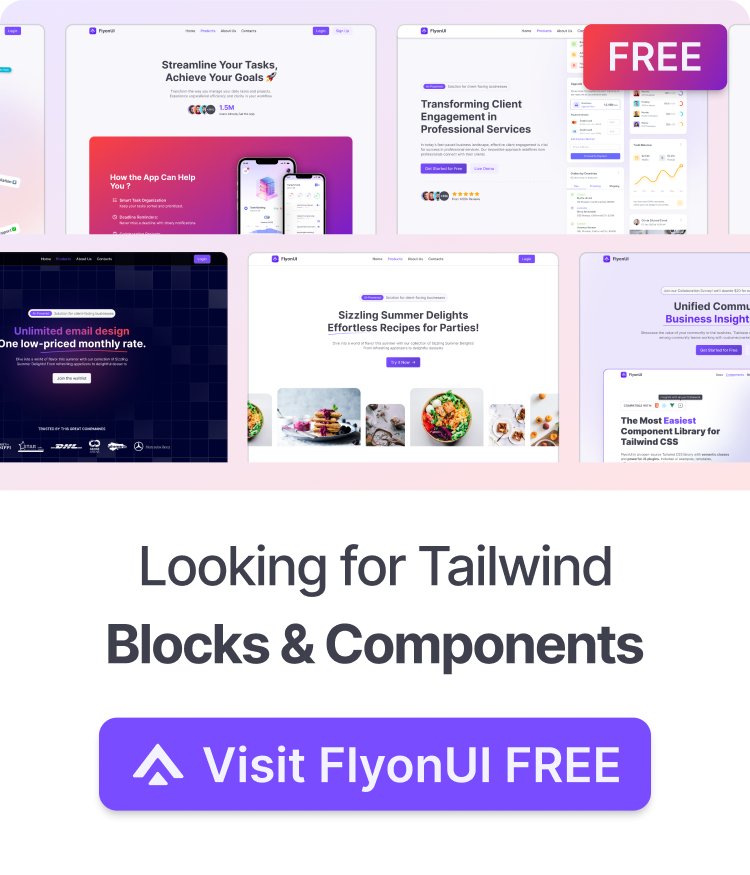
FlyonUI is an open-source Tailwind CSS component library with ready-made elements such as buttons, cards, dropdowns, and tabs.
Reach for a component library when you build dashboards, admin panels, or client sites full of standard UI elements. For a one-off brand site where every element is custom, plain Tailwind CSS is enough. Use our Tailwind CSS cheatsheet as a quick reference for utility classes and responsive prefixes.
API Development and Testing Tools
When a product list renders empty, check the API request before you rewrite your component. The problem can be a wrong URL, a missing header, an expired token, or a response with renamed fields.
Postman lets you send requests to any endpoint, set headers and auth tokens, and read the response body and status code. You confirm the backend returns the right data without touching your UI code. Save requests in collections and share them with your team. You can also add automated checks to a request, so a renamed field fails a test before the change reaches your users.
Testing and Debugging Tools
Chrome DevTools ships with the browser, and you’ll open DevTools every day. Start with these three panels and the Device Toolbar:
- Elements shows the live HTML and CSS. Edit a margin here to test a spacing fix before you touch your source files.
- Console prints errors and warnings and runs JavaScript against the current page.
- Network lists every request with headers, payloads, and timing, so failed API calls stand out in red.
- Device Toolbar previews your layout at phone and tablet sizes so you can check responsive breakpoints.
Manual checks get slow once a project has dozens of screens. Vitest runs unit tests for functions and components. Vitest reads your existing Vite configuration, so a Vite project needs little extra setup. Write tests for logic such as a price formatter or form validation, and Vitest reruns them every time you save.
Playwright covers end-to-end tests. A Playwright script opens a browser and clicks through your sign-up flow, checking each step in Chromium, Firefox, and WebKit. This lets you test how your application behaves across different browser engines. Write Playwright tests for the flows your business depends on, such as login and checkout.
Deployment and Automation Tools
GitHub Actions runs scripts when something happens in your repository, such as a push or a new pull request. A common workflow installs dependencies, runs the linter and your Vitest suite, and builds the project. If a test fails, the pull request shows a red check, and your team sees the problem before anyone merges.
Vercel and Netlify host frontend projects with almost no configuration. Connect a GitHub repository, and every push to the main branch deploys to production. Each pull request gets a separate preview URL, so designers and clients can review a change before launch. Both platforms recognize Vite and major frameworks, fill in build settings, and offer free plans for personal projects.
Set up deployment in the first week of a project, even if you’re the only person checking the site. On a live URL, you’ll spot build and environment problems you won’t see on localhost.
Where to Start
Build your next frontend project faster with FlyonUI. Its open-source Tailwind CSS component library gives you customizable buttons, cards, dropdowns, and other ready-made UI elements. It works with React, Vue, Angular, and plain HTML, and includes interactive JavaScript plugins and dark mode support.
Need more than individual components? FlyonUI Pro also includes ready-made page blocks, website templates, and Figma files. Explore FlyonUI to find the right components for your next project.