Tailwind CSS alternatives are helpful tools that work with Tailwind CSS. Moreover, they add ready parts, themes, or easy ways to build sites. For example, some give copy-paste components. Others add AI help or clean code. Therefore, the best Tailwind CSS alternatives in 2026 make work faster, support dark mode, and fit Tailwind v4.
Additionally, they are good for landing pages, apps, or dashboards. As a result, you can choose one that matches your needs. Furthermore, most Tailwind CSS alternatives are free or have free options. So, they are easy to start with.
Table of Contents
What Are Tailwind CSS Alternatives?
Tailwind CSS alternatives are helpers for Tailwind CSS. First, they give ready parts like buttons and cards. In addition, some add themes or simple code. Moreover, they make building sites faster and keep looks the same.
When you use these Tailwind CSS alternatives, you save time. Furthermore, they work on phones and have dark mode. As a result, they help beginners and experts.
Top Tailwind CSS Alternatives in 2026
Here are the top 13 Tailwind CSS alternatives. They are picked because they are easy, fresh, and useful in 2026.
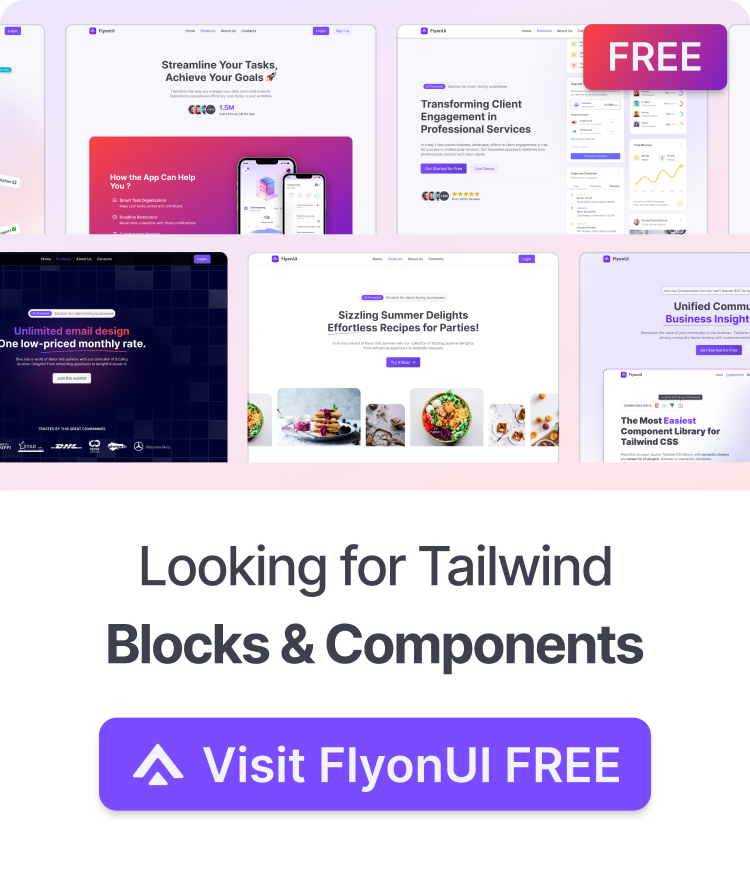
Flyon UI – Best for Clean and Simple Code

FlyonUI is a free, open-source Tailwind CSS UI components library. It uses semantic class names to replace long utility strings. This makes your HTML much cleaner and easier to read. Plus, it stays fully compatible with Tailwind.
It offers over 80 accessible components, headless JS plugins for interactivity, unlimited themes including dark mode, and ready blocks/templates for dashboards, marketing, and apps.
Features of FlyonUI:
- Open-source: Dive into a growing, community-driven collection of copy-and-paste Tailwind components.
- Component & Blocks variants: Access a diverse collection of customizable Tailwind blocks and component variants to quickly build and style your UI with ease.
- Landing pages & Dashboards: Explore 10+ premium & free Tailwind templates for dashboards, landing pages & more. Fully customizable & easy to use.
- Tailwind UI for Figma: Speed up your workflow with Tailwind Figma UI Kit, blocks & templates – a full design library inspired by Tailwind CSS.
- FlyonUI MCP: Integrate Tailwind MCP Server directly into your favorite IDE and craft stunning Tailwind Components, Blocks, and Pages inspired by FlyonUI.
Therefore, it helps make clean and fast websites with better readability and quick setup.
shadcn/studio – Great for AI Help and Custom Parts

shadcn/studio is a modern tool built around shadcn/ui. It lets you copy customizable components and use AI tools to generate clean, accessible code from designs or prompts.
It supports Tailwind v4, full theme control, real-time previews, and easy copy-paste or CLI integration for React/Next.js projects, including the dashboards and chat interfaces teams need for AI agent development.
Features:
- Open-source: Dive into a growing, community-driven collection of copy-and-paste shadcn ui components, Shadcn blocks, and templates.
- Component & Blocks variants: Access a diverse collection of customizable shadcn blocks and component variants to quickly build and style your UI with ease.
- Animated variants with Motion: Add smooth, modern animations to your components, enhancing user experiences with minimal effort.
- Landing pages & Dashboards: Explore 20+ premium & free Shadcn templates for dashboards, landing pages & more. Fully customizable & easy to use.
- shadcn/ui for Figma: Speed up your workflow with Shadcn Figma UI components, blocks & templates — a full design library inspired by shadcn/ui.
- Powerful theme generator: Customize your UI instantly with Shadcn Theme Generator. Preview changes in real time and create consistent, on-brand designs faster.
- shadcn/studio MCP: Integrate shadcn/studio MCP Server directly into your favorite IDE and craft stunning shadcn/ui Components, Blocks, and Pages inspired by shadcn/studio.
- Shadcn Figma To Code Plugin: Convert your Figma designs into production-ready code instantly with the Shadcn Figma Plugin.
As a result, it is perfect for custom UIs with fast design-to-code workflows and beautiful results.
PrelineUI – Strong for Many Frameworks

PrelineUI gives over 300 components for Tailwind CSS, including forms, tables, modals, and interactive elements with headless JS support.
It works well across React, Vue, Next.js, and more with dark mode and starter pages.
Use it for:
- Fast app building
- Responsive forms
- Many frameworks
- Scalable UIs
Good points:
- Lots of parts
- Good framework support
- Dark mode ready
- Clean code
- Tailwind v4 ok
As a result, it is great for big apps and scalable UIs.
DaisyUI – Perfect for Easy Themes
DaisyUI is a lightweight Tailwind CSS plugin that adds semantic classes and over 20 beautiful themes with built-in dark mode.
It needs no extra JS for basic parts and keeps HTML clean.
Use it for:
- Adding themes fast
- Clean code
- Quick tests
- Light sites
Good points:
- Very small
- Easy changes
- No JS needed
- Big community
- Tailwind v4 ready
As a result, it is easy for quick theme-based projects.
FloatUI – Clean and Modern Components

FloatUI delivers modern, beautifully designed Tailwind CSS components and templates. It focuses on clean aesthetics for marketing sites, apps, and dashboards.
All elements are fully responsive, customizable, and free to copy-paste into any Tailwind project without extra dependencies.
Use it for:
- Quick copy parts
- Modern layouts
- Easy setup
- Responsive sites
Good points:
- Fresh look
- Free
- Easy changes
- Tailwind friendly
Therefore, it is a great choice for fast, professional-looking UIs with minimal effort.
TW Elements – Nice for Material Style

TW Elements combines Tailwind CSS with Material Design, offering over 500 free interactive components like buttons, cards, and modals.
It includes JS for functionality and dark mode support.
Use it for:
- Material style UIs
- Interactive parts
- Clean design
- App work
Good points:
- Material + Tailwind
- Interactive
- Responsive
- Tailwind v4
As a result, it is good for polished Material-style projects.
HeadlessUI – Best for Full Control
HeadlessUI gives unstyled, accessible components like menus and dialogs from the Tailwind team.
You add all styles with Tailwind for full freedom, making it easier to apply user experience basics such as accessibility, clear navigation, and consistent interactions.
Use it for:
- Full style control
- Accessible parts
- Custom UIs
- React or Vue
Good points:
- No style added
- Very accessible
- Good quality
- Tailwind v4 ok
As a result, it gives complete control with high accessibility.
Ripple UI – Beautiful and Reusable

Ripple UI is a light Tailwind CSS framework with reusable components and pre-defined modern styles.
It supports dark mode and easy changes via config.
Use it for:
- Reusable parts
- Modern looks
- Quick style
- Clean designs
Good points:
- Beautiful defaults
- Light
- Dark mode
- Tailwind easy
Therefore, it helps create consistent and beautiful sites.
HyperUI – Free Copy-Paste Parts

HyperUI has many free, open-source Tailwind CSS components for marketing, apps, and dashboards.
It is copy-paste ready with dark mode support.
Use it for:
- Copy-paste ready
- Modern web apps
- Fast building
- Free use
Good points:
- Free and open
- Many parts
- Easy copy
- Tailwind v4 support
As a result, it is good for quick and modern web work.
Mamba UI – Many Free Template
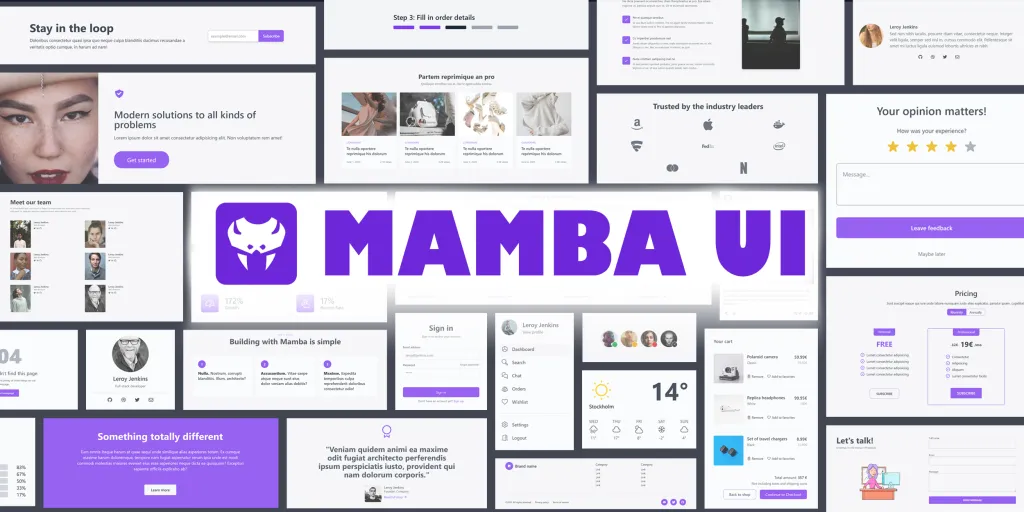
Mamba UI gives over 150 free Tailwind CSS components and templates.
It is open-source and easy to copy-paste. Moreover, it helps build sites in minutes.
Use it for:
- Copy-paste templates
- Quick sites
- Many choices
- Free work
Good points:
- Big free collection
- Easy copy
- Nice templates
- Tailwind based
Therefore, it is great for fast starts.
Flowbite – Top for Interactive Parts

Flowbite is a big open-source Tailwind CSS UI kit with over 68 free interactive components like modals, dropdowns, and navbars.
It adds vanilla JS for real interactivity, dark mode, RTL, and Figma support.
Use it for:
- Full site building
- Interactive elements
- Dark mode easy
- Team work with designers
Good points:
- Huge free parts
- Good docs
- Interactive and dark mode
- Big community
- Tailwind v4 support
Therefore, it is good for building full sites fast.
Material Tailwind – Good for Material Design

Material Tailwind brings Material Design guidelines to Tailwind CSS with over 460 ready components like buttons and cards.
It works well with React and focuses on vibrant colors and accessibility.
Use it for:
- Material in Tailwind
- React projects
- Accessible UIs
- Modern apps
Good points:
- Material look
- Easy setup
- Customizable
- Tailwind v4 ready
Therefore, it makes nice Material-inspired apps.
TailGrids – Good for Many Ready Blocks

TailGrids has over 600 production-ready components and amazing blocks for Tailwind CSS, including heroes, pricing, features, and footers.
It supports multiple frameworks like React, Vue, and HTML with full responsiveness and dark mode. Therefore, you can build complete pages quickly with copy-paste ease.
Use it for:
- Copy-paste blocks
- Making landing pages
- Keeping design the same
- Multi-framework work
Good points:
- Very big collection
- Fully responsive
- Easy to change
- Good updates
- Figma files too
Therefore, you can build complete pages quickly with copy-paste ease.
How to Choose the Right Tailwind CSS Alternative
- Define your needs first: Decide whether you need theming, prebuilt components, utilities, or a full design system.
- Check ecosystem compatibility: Make sure it works well with your framework, build tools, and workflow.
- Explore free or trial options: Test a few alternatives to understand their DX, flexibility, and performance.
- Evaluate ease of use and scalability: Pick the one that feels intuitive now and can grow with your project later.
Conclusion
The best Tailwind CSS alternative fits your project. For example, Flowbite is great for many parts. Moreover, DaisyUI is easy for themes. Additionally, shadcn/studio helps with AI. Furthermore, all these Tailwind CSS alternatives work well in 2026.
Happy coding with Tailwind!